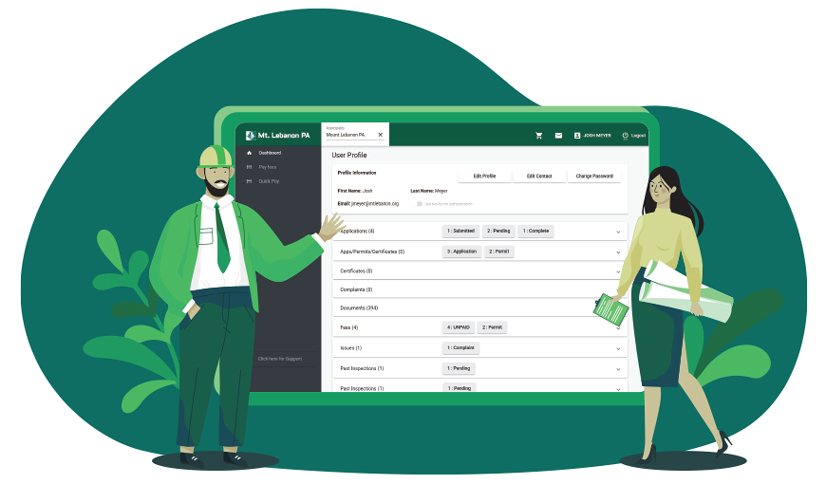
For decades, applying for a building permit in Mt. Lebanon meant printing out documents, making copies of drawings and surveys and physically delivering them to the municipal inspection office during business hours. Whether you’re replacing a driveway, building an addition or checking the status of a code enforcement complaint, those days of chasing paperwork and wondering where your project stands are over.
Mt. Lebanon has launched a new digital portal powered by Municity, a cloud-based platform that modernizes and simplifies the permit and inspection process. The system allows residents, contractors and design professionals to apply for permits, upload documentation, pay fees, track inspections and even submit code enforcement complaints from their computer or mobile device.
For those who prefer the traditional method, or aren’t comfortable using digital tools, the inspection office will continue to accept paper applications and hard copy submissions.
“The whole process is going to streamline how people apply for permits, hopefully reduce lead times on obtaining those permits and be more transparent both in our office and to everyone outside of ours — residents, contractors and anyone involved with a project,” said Building Inspector Josh Meyer.
The portal’s development began in early 2024 and included six phases of development, testing and internal training.
Prior to the portal’s launch, residents could apply online for only a narrow set of zoning permits for items like driveways or sheds. All other permits, particularly those involving structural changes or detailed construction plans, required in-person submission of hard copies.
“The old process was pretty much all hard copies on paper,” Meyer said. “It could be tedious for some people to get that information to us, especially if they were out of town or working from another site.”
In the past, submitting a permit could require multiple trips to the municipal building, especially if any paperwork was incomplete. Contractors working across several job sites might need to coordinate with property owners just to hand-deliver drawings or surveys. With no digital tracking, it was common to rely on follow-up calls or emails to check a permit’s progress, which could cause delays or confusion.
The new portal accepts digital submissions and allows municipal staff to review and annotate documents electronically. Applicants no longer need to visit the office or wait for standard business hours to start or track their projects.
“You can apply at three o’clock in the morning if that’s when you’re up and working,” Meyer said. “It comes into what we call a dashboard. Diane Rattay in our office sees it, makes sure all the documents are there, and assigns it to the right inspector for review.”

The benefits of the new platform aren’t limited to just convenience. According to Meyer, one of the biggest improvements is that the portal allows users to see real-time updates on the status of their permits, including review status, inspection outcomes and communication between inspectors, architects and contractors.
“This new system is more transparent. It shows a checklist of items — like when a submittal is received, when it’s processed for review and when comments are sent out,” he said.
If Meyer has notes for an architect or engineer, the communication is logged into the system, minimizing confusion among project stakeholders.
The system also enhances communication and clarity around inspections. Before this new system it would be up to the contractor to relay messages to the homeowner if something passed or failed.
“Now, I can send an email directly from the site with exactly what failed or passed, and it goes to everyone involved — the contractor, the homeowner, whoever’s tied to that permit,” Meyer said.
That information is stored in the system and tied to each specific permit, giving residents a record of all activities on their property.
“They’ll be able to see a checklist of inspections and the results,” Meyer said. “It’s all right there.”
Meyer emphasized that data privacy remains a priority. Each user only sees what they’re connected to in the system.
“Property owners see everything active on their property. Contractors only see the permits they’re attached to,” Meyer said. “Everything is controlled on the back end.”
Users can also submit code violation complaints anonymously. If someone reports an issue like tall grass or accumulated debris, they can track their complaint’s status through the dashboard.
While navigating the portal should be relatively easy, educational resources are available, including a How to Lebo video and office support.
“If all else fails, there’s a note on the portal to call the office. We’ll walk you through it,” Meyer said.
Once approved, permits can be paid for and received through the portal.
“If you submit your application digitally, you can pay for that permit online and actually obtain the stamped, approved copy of your permit digitally through email,” Meyer said. “It reduces the amount of paper we use and cuts down on the time people spend trying to come into
the office.”
Inspectors and plan reviewers now use integrated software to add comments and digital stamps to plans, improving accuracy and legibility.
“We’ll be able to type out our comments and our stamp on those plans,” Meyer said. “It’ll be much easier to read and find on the actual permit document.”
While already operational for inspections, permitting and code enforcement, the platform also includes a module for the planning office. While no further expansion is confirmed at this time, future integrations with other municipal services are possible.
Residents can access the Municity portal by visiting mtlebanon.org [1] and navigating to the Inspection Department Permits section of MyLebo. The portal is available 24/7, and accounts can be created by residents, contractors or design professionals managing a project.
“It’s really about giving residents and contractors more control and visibility into their projects,” Meyer said. “We want people to feel confident that they know where things stand — and we want to make it easier for everyone to do things the right way.”
Check out the instructional video on Municity: